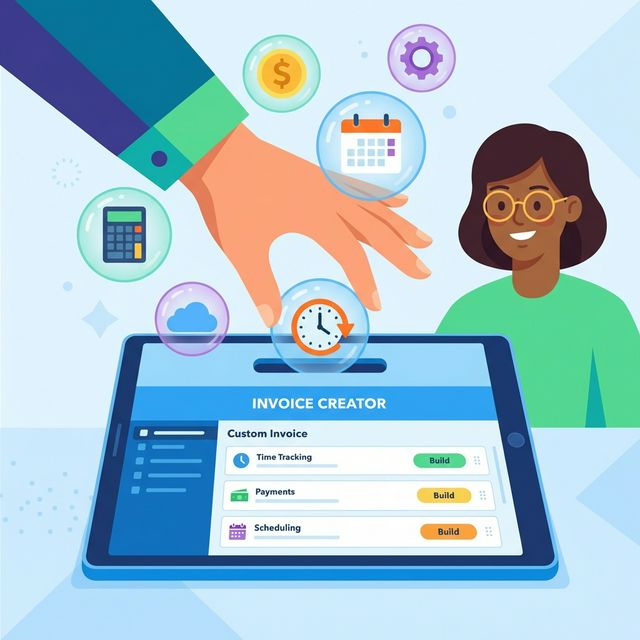
Choosing invoice creating software should be straightforward: you need to send professional invoices and get paid. But the market has made this unnecessarily complicated. Dozens of tools compete on feature lists so long they'd make a phone book jealous, and it's genuinely hard to tell which features will affect your bottom line and which are marketing checkboxes.
This guide breaks down the features that matter in invoice creating software, organised by how critical they are at different business sizes. Whether you're a freelancer sending five invoices a month or a small agency handling fifty, the checklist below will help you evaluate tools without getting lost in feature bloat.
Core Features: The Non-Negotiables
These are the features every invoicing tool must handle well. If a tool falls short on any of these, move on regardless of what else it offers.
Customisable Invoice Templates
Your invoice is a business document, but it's also a touchpoint with your client. You need control over the basics: your logo, colour scheme, payment terms, and the line items you display. "Customisable" means more than swapping a logo — you should be able to adjust column labels, add custom fields (like purchase order numbers), and control which totals appear.
What to test: Create a sample invoice and see if it looks like something you'd be comfortable sending to your best client. If it looks generic or amateurish, your clients will notice. For a deeper look at what makes a strong invoice, see our guide on creating the perfect freelancer invoice.
Automatic Calculations
Tax calculations, subtotals, discounts, and currency conversions should happen automatically. The moment you're reaching for a calculator or a spreadsheet to verify your invoice tool's maths is the moment that tool has failed its primary job.
Look for software that supports multiple tax rates (essential if you work across jurisdictions), compound vs. simple tax, and the ability to set default tax rates per client or per service type.
Payment Gateway Integration
An invoice that doesn't include a "Pay Now" button is leaving money on the table. The data is consistent across the industry: invoices with integrated online payment options get settled significantly faster than those requiring manual bank transfers. We covered the mechanics of this in our article on getting paid faster through invoice automation.
At minimum, look for Stripe and PayPal integration. Stripe covers credit card payments in most countries, and PayPal remains the fallback that nearly every client already has. Some tools also support direct bank transfers (ACH in the US, BACS in the UK, SEPA in Europe), which carry lower processing fees.
PDF Generation and Delivery
You need to generate clean PDF invoices and send them via email directly from the tool. Exporting a PDF, attaching it to a separate email, and manually tracking who's been sent what is a workflow from 2012. Your software should handle the full send cycle and track when invoices are viewed.
Invoice Status Tracking
At any moment, you should be able to see which invoices are draft, sent, viewed, paid, or overdue. This dashboard view is how you manage cash flow. If the tool doesn't distinguish between "sent" and "viewed," you'll never know whether a late payment is because the client missed the email or is choosing to ignore it.
Important Features: The Ones That Save Real Time
These features aren't strictly necessary for sending an invoice, but they significantly reduce the time you spend on billing each month.
Recurring Invoices
If you have retainer clients or subscription-based services, recurring invoices are a substantial time saver. Set the amount, frequency, and client once — the software creates and sends invoices automatically. This alone can save hours per month for anyone with three or more recurring engagements.
Key detail to check: Can you set an end date? Can recurring invoices auto-adjust for rate changes? Can individual recurring invoices be edited before sending?
Time-to-Invoice Flow
This is the feature that separates invoicing-only tools from integrated business tools. If you bill by the hour (and most freelancers do), the ability to convert tracked time directly into invoice line items eliminates the most error-prone step in your billing process.
Without this: you track time in one tool, open your invoicing tool, and manually type in hours, rates, and descriptions. Transcription errors are inevitable. With this: you select the time entries for a billing period, click "Create Invoice," and review a pre-populated document.
This is where tools like Time Nomad differ from standalone invoicing software. When your time tracker and invoicing tool share the same database, the conversion is seamless. We go deeper on this in our piece about handling tracking and invoicing in one app.
Multi-Currency Support
If every client you'll ever have pays in your home currency, skip this. For everyone else — especially digital nomads and anyone working with international clients — multi-currency is essential, not optional.
What to look for:
- Can you set a default currency per client?
- Does the tool handle exchange rate conversion automatically?
- Can you display one currency on the invoice and record revenue in another?
- Are exchange rates pulled from a reliable source, and can you override them?
Expense Tracking
Some invoice software includes basic expense tracking, letting you log costs against projects and optionally pass them through to clients as invoice line items. This isn't a replacement for proper accounting software, but it's useful for freelancers who need to rebill expenses like software licenses, stock photography, or travel costs.
Client Portal
A client portal gives your clients a self-service view of their invoices, payment history, and outstanding balances. It reduces "can you resend that invoice?" emails and gives your business a more professional appearance. Not critical for everyone, but valuable if you have long-term clients with regular billing.
Features That Matter at Scale
These features become important as your business grows beyond solo freelancing. If you're just starting out, note them for later but don't let them drive your decision today.
Automated Payment Reminders
Chasing overdue invoices is awkward and time-consuming. Automated reminders — sent at intervals you define (e.g., 3 days after due, 7 days, 14 days) — handle this without you writing a single follow-up email. The best implementations let you customise the tone and frequency, and stop automatically once payment is received.
Reporting and Analytics
Revenue by client, average payment time, monthly recurring revenue, outstanding receivables — these reports become critical once you have enough volume to identify patterns. Early on, you can get by with a spreadsheet summary. At ten clients or more, you want this built into your invoicing tool.
Team and Approval Workflows
If you have subcontractors or employees who create invoices, approval workflows prevent errors from reaching clients. One person drafts, another reviews and sends. Irrelevant for solo freelancers, essential for small agencies.
API Access
For businesses with custom workflows — maybe you integrate invoicing with a CRM, a project management tool, or a custom dashboard — API access lets you automate data flow between systems. Most freelancers never need this. If you do, you already know.
Feature Comparison by Business Stage
Here's how to weight features based on where you are right now.
| Feature | Solo Freelancer (1-3 clients) | Established Freelancer (4-10 clients) | Small Agency (10+ clients) |
|---|---|---|---|
| Customisable templates | Important | Important | Essential |
| Auto calculations | Essential | Essential | Essential |
| Payment gateway | Important | Essential | Essential |
| PDF + email delivery | Essential | Essential | Essential |
| Status tracking | Nice to have | Essential | Essential |
| Recurring invoices | Nice to have | Important | Essential |
| Time-to-invoice | Important | Essential | Essential |
| Multi-currency | Depends on clients | Important | Essential |
| Expense tracking | Nice to have | Important | Important |
| Client portal | Nice to have | Nice to have | Important |
| Payment reminders | Nice to have | Important | Essential |
| Reporting | Nice to have | Important | Essential |
| Team workflows | Not needed | Not needed | Important |
| API access | Not needed | Nice to have | Important |
Red Flags to Watch For
Not every invoice creating software deserves your attention. Here are warning signs to help you filter quickly.
No free tier or trial. You shouldn't have to pay before you can evaluate whether the tool fits your workflow. A 14-day trial is the bare minimum; a genuine free tier (even with limitations) shows the company is confident in its product.
Per-invoice pricing. Some tools charge per invoice sent. This creates a perverse incentive to consolidate billing into fewer, larger invoices rather than billing naturally. Flat monthly pricing or feature-tiered pricing is far more predictable.
No data export. If you can't export your invoice data (as CSV, PDF archive, or via API), you're locked in. Your financial records need to be portable — for accounting, for tax filing, and for the day you might switch tools.
Mandatory accounting features. Some invoicing tools are really accounting platforms with invoicing bolted on. If you already have an accountant or use dedicated accounting software (Xero, QuickBooks), you don't need double-entry bookkeeping in your invoicing tool. The extra complexity just gets in the way. We discussed this distinction in our guide to choosing invoicing and billing software.
Slow invoice creation. Time yourself creating a sample invoice. If it takes more than three minutes from opening the tool to having a ready-to-send invoice, the UX is too heavy. You'll dread invoicing day, and that's how invoices get sent late and payments get delayed.
The Integration Question: Standalone vs. All-in-One
The biggest architectural decision in choosing invoice software is whether to pick a standalone invoicing tool or an integrated platform that combines invoicing with time tracking, project management, or accounting.
Standalone Invoicing Tools
Pros: Focused feature set, often simpler UI, easy to pair with your existing time tracker or project tool.
Cons: Manual data transfer between tools, no single source of truth, higher risk of billing errors.
Best for: Freelancers who already have a time tracking setup they're happy with and just need clean invoicing.
Integrated Platforms
Pros: Time entries flow into invoices automatically, single dashboard for projects and billing, less context switching.
Cons: May have weaker individual features compared to best-of-breed tools, migration cost if you switch.
Best for: Freelancers who bill by the hour, work with multiple clients, and want to minimize admin time. If you haven't read it yet, our guide to what to look for in an invoice system covers this decision in depth.
The Practical Answer
For most freelancers, the integrated approach wins — not because the invoicing features are necessarily better, but because the handoff between tracking and billing is where the most time (and money) gets lost. Every manual step in that handoff is a chance for error, delay, or simply forgetting to bill for work you've done.
Making Your Decision
Here's a three-step process for choosing invoice creating software that actually fits your work:
Step 1: List your billing patterns. Hourly? Fixed price? Recurring? Mixed? This determines whether time-to-invoice flow and recurring invoice features are essential or irrelevant.
Step 2: Count your currencies. If you bill in more than one currency, eliminate any tool that doesn't handle multi-currency natively. Workarounds with manual exchange rates will cost you hours every month.
Step 3: Send a test invoice to yourself. Every serious tool offers a free trial or free tier. Create an invoice, send it, check the payment flow, and see how the experience feels from your client's perspective. If you wouldn't be impressed receiving that invoice, neither will they.
The right invoice creating software should make billing feel like a two-minute task, not a monthly ordeal. If you're looking for a tool that combines time tracking with professional invoicing — especially if you work across timezones and currencies — Time Nomad handles the full workflow from tracked hours to sent invoice, without requiring a separate tool for either side.
Jamie McDonnell
Writing about freelancing, productivity, and the tools that help independent professionals do their best work.
Related Posts
Mastering Invoicing as a Freelancer: The Complete Workflow
Go beyond sending invoices — build a complete invoicing system that handles templates, terms, tracking, follow-ups, disputes, and cash flow without the monthly scramble.
How to Create Invoices That Actually Get Paid Faster
Practical, psychology-backed tips for creating invoices that reduce payment delays — from shorter due dates and early payment discounts to clear line items and automated reminders.
How to Choose Invoicing and Billing Software: A Decision Framework
A structured framework for choosing invoicing and billing software based on how you actually work — your billing model, client mix, and whether you need time tracking integrated.
Stay in the loop
Get freelancing tips, product updates, and productivity insights delivered to your inbox.
No spam. Unsubscribe anytime.