Most freelancers start with separate tools. A timer app for tracking hours. A different app (or a spreadsheet, or a Word template) for invoicing. It works fine at first — when you have one or two clients and a handful of hours to bill each month, the manual transfer from tracker to invoice is a five-minute task.
Then things scale. Three clients become eight. Projects overlap. Some are hourly, some are fixed-price with tracked time for internal reference. You're copying numbers from one app, formatting them in another, double-checking that the totals match, and wondering why invoicing takes an entire afternoon when it should take twenty minutes.
Time tracking and invoicing for freelancers are fundamentally linked. Every tracked hour either becomes a line item on an invoice or informs your profitability on fixed-price work. When those two functions live in separate tools, you're maintaining a manual bridge between them — and that bridge is where errors, lost revenue, and wasted time accumulate.
The Real Cost of Disconnected Tools
The pain points of using separate tracking and invoicing tools aren't hypothetical. They're specific, quantifiable, and they compound over time.
Manual Re-Entry Errors
Every time you take a number from your time tracker and type it into your invoice tool, there's a chance of error. Transposing digits. Rounding inconsistently. Forgetting a small time entry from early in the month. Missing a rate change that went into effect mid-project.
These aren't dramatic mistakes — they're small, quiet ones. An invoice that's $75 less than it should be. A project where you accidentally billed at the old rate for two weeks. A 45-minute task that didn't make it onto the invoice because it was logged on a different day than you thought.
Individually, each error is minor. Across a year of freelancing, they represent a meaningful amount of lost revenue. And here's the frustrating part: you often never know the money was missed, because you don't have an automated check between what was tracked and what was billed.
The Reconciliation Time Sink
At the end of each billing period, someone has to reconcile tracked time against invoiced amounts. In a disconnected setup, that someone is you, and the process looks like this:
- Open the time tracker. Export or screenshot the relevant period.
- Open the invoice tool. Create a new invoice.
- Cross-reference each project's tracked hours against the invoice line items.
- Manually calculate totals for different rate tiers.
- Verify that everything matches.
- Fix the things that don't match.
- Send the invoice and hope you caught everything.
That workflow might take 15–30 minutes per client per billing cycle. Multiply by your client count, multiply by 12 months, and you're looking at dozens of hours per year spent on a task that an integrated tool handles automatically.
Context Loss Between Systems
Your time tracker knows what you worked on. Your invoice tool knows what you billed for. But neither tool knows about the other's data in real time. This creates gaps:
- You can't glance at a project and immediately see both tracked hours and invoiced amounts in one view.
- You can't tell, mid-month, whether you've already invoiced for certain entries or not.
- You can't generate a profitability report that factors in both time invested and revenue collected without exporting from both tools and combining the data somewhere else.
For freelancers trying to understand which projects are actually profitable, this fragmentation makes the analysis much harder than it needs to be.
Format Mismatches
Your tracker might log time in decimal hours (2.75) while your invoice tool expects hours and minutes (2:45). Your tracker might categorize by project while your invoice tool categorizes by service type. Every mismatch requires manual translation.
What Integrated Tracking + Invoicing Looks Like
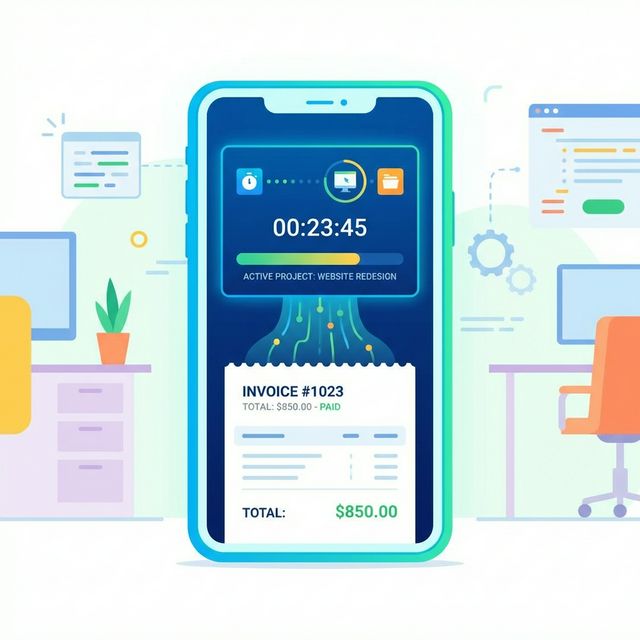
An integrated tool eliminates the bridge between tracking and billing. The time you record is the time that appears on your invoice — automatically, without re-entry, without reconciliation, without export/import gymnastics.
Here's what the workflow looks like in practice:
During the Work
You start a timer, select the client and project, and work. When you stop, the entry is logged with the duration, description, date, and associated rate. This part isn't very different from a standalone tracker — the magic is in what happens next.
At Invoice Time
Instead of opening a separate tool and manually building an invoice, you select the client, choose the billing period, and the tool generates an invoice from the tracked entries. Line items are populated automatically. Hours, rates, and descriptions pull directly from your time data. Totals are calculated without any manual arithmetic.
You review, adjust if needed (maybe you want to group several small entries into one line item, or add a fixed-cost item alongside the hourly work), and send. The entire process for a single client takes minutes instead of the 15–30 minutes a disconnected workflow requires.
After Sending
The tracked time entries are marked as invoiced, so you never accidentally bill for the same hours twice. You can see, at a glance, which entries have been billed and which are still unbilled. Your billable hours reporting reflects the actual state of your billing, not a best guess.
The Specific Benefits Worth Caring About
Beyond the obvious time savings, integration delivers a few benefits that are easy to overlook until you've experienced them.
Accurate Billing Without the Overhead
When tracked time flows directly into invoices, the most common source of billing errors — manual transfer — disappears. You're not more careful; you're not double-checking more thoroughly. The system simply doesn't have the gap where errors used to enter.
This matters especially for freelancers billing multiple clients with different rates, currencies, or billing structures. The more complex your billing, the more an integrated tool saves you.
Real-Time Visibility Into Unbilled Work
At any point in the month, you can see exactly how much unbilled time you've accumulated per client. This is useful for:
- Cash flow forecasting. You know what's coming before you send the invoice.
- Scope management. If a fixed-price project's tracked time is exceeding the budget, you see it in real time — not after the fact.
- Client communication. "We've used 80% of the estimated hours for this phase" is a much better conversation to have mid-project than post-project.
Faster Payment Cycles
When invoicing is easy, you do it on time. When it's a chore involving multiple tools, you procrastinate. A freelancer who sends invoices the day after a billing period ends gets paid faster than one who puts it off for a week. Every day of invoice delay is a day of payment delay. Reducing invoicing friction directly improves your cash flow.
Common Objections and Honest Responses
"I already have a tracker I like"
Fair. Switching has a cost. The question is whether the ongoing cost of maintaining the bridge between your tracker and your invoicing tool exceeds the one-time cost of switching. For most freelancers with more than a few clients, it does within a couple of months.
"Integrated tools are usually mediocre at both things"
This used to be true. Early all-in-one tools were often one good feature surrounded by underdeveloped ones. The category has matured. The key is finding an integrated tool where both functions feel like first-class features — if the tracking feels worse than a standalone tracker, keep looking.
"What about my accounting needs?"
An integrated tracker/invoicer doesn't need to be a full accounting suite. If you need double-entry bookkeeping or bank reconciliation, you'll still want a dedicated accounting tool — but your accounting tool doesn't need to be your invoicing tool. Most freelancers find that an integrated tracker/invoicer handles 95% of their daily workflow.
For more on this distinction, see the comparison of FreshBooks versus lighter alternatives.
What to Look for in an Integrated Tool
If you're evaluating tools that combine tracking and invoicing, here's what separates the good ones from the "technically has both features" ones:
One-Click Invoice Generation
The path from tracked time to sent invoice should be short. If it takes more than a few clicks to generate an invoice from your tracked entries, the integration isn't tight enough.
Flexible Line Item Control
Automatic invoice generation is great, but you should be able to adjust the output. Group entries, rename descriptions for client clarity, add non-time-based charges, apply discounts. The automation should save time, not remove control.
Unbilled Time Visibility
You should be able to see, at any moment, how much unbilled time exists per client and per project. This is the real-time benefit of integration, and if the tool doesn't surface it prominently, you're missing half the value.
Multi-Currency Support
If you bill different clients in different currencies, the tool needs to handle this natively — not as an export-and-convert workaround. This is especially important for freelancers working across borders.
Professional Invoice Output
The invoices should look clean, include legally required information, and support customization (your logo, payment terms, notes). An integrated tool that produces ugly invoices defeats the purpose. For a broader checklist, see our guide on evaluating invoicing systems.
The Bigger Picture: Systems Over Hustle
Freelancing is full of small tasks that feel trivial individually but consume enormous time collectively. The 10 minutes copying numbers from a tracker. The 15 minutes formatting an invoice. The 5 minutes checking whether you already billed for that Tuesday entry. None of these tasks are hard. They're just friction — and friction compounds.
Building a system where tracked time flows seamlessly into invoices isn't about being lazy. It's about directing your limited hours toward work that generates revenue and growth, rather than work that merely processes it.
Time Nomad was designed around exactly this workflow: track your time, then generate professional invoices directly from your entries with a few clicks. No re-entry, no reconciliation, no separate tools to manage. If you're tired of maintaining the bridge between your tracker and your invoicing tool, give it a try for free at time-nomad.app and see how much smoother billing becomes when everything lives in one place.
Jamie McDonnell
Writing about freelancing, productivity, and the tools that help independent professionals do their best work.
Related Posts
Time Nomad vs Zoho Invoice: Which Is Better for Freelancers?
A fair comparison of Time Nomad and Zoho Invoice for freelancers. We cover features, pricing, ease of use, and which tool fits which workflow so you can pick the right one.
Mastering Invoicing as a Freelancer: The Complete Workflow
Go beyond sending invoices — build a complete invoicing system that handles templates, terms, tracking, follow-ups, disputes, and cash flow without the monthly scramble.
Best Free Time Trackers for Freelancers: What You Actually Get
An honest comparison of free time tracking options for freelancers — what each tool offers, what it holds back, and when paying for a tracker pays for itself.
Stay in the loop
Get freelancing tips, product updates, and productivity insights delivered to your inbox.
No spam. Unsubscribe anytime.