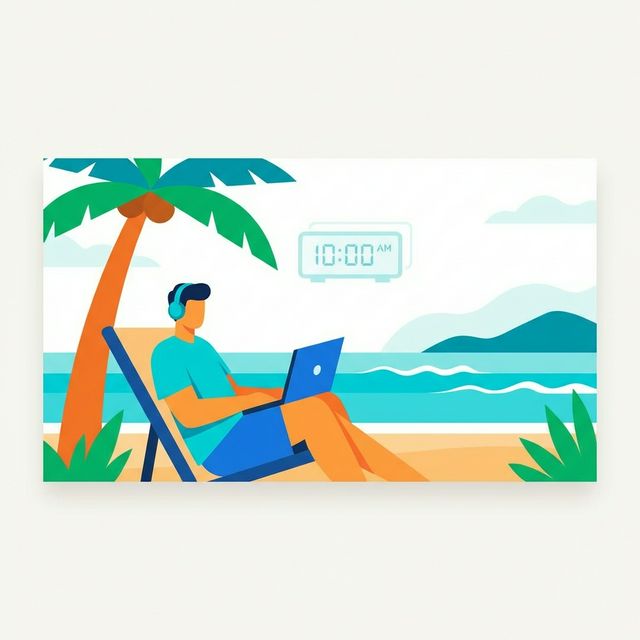
It's 2 PM in Canggu. You're at a coworking space that smells like espresso and incense, your laptop open, a timer running on a project for a client in Toronto. The deadline is "end of day" — but whose day? Theirs, which is thirteen hours behind you? And when this invoice goes out, should it be in US dollars, or the Singapore dollars you quoted another client last week?
This is the daily reality of time tracking as a digital nomad. The fundamentals are the same as any freelancer: log your hours, bill your clients, get paid. But the logistics are tangled by timezone mismatches, multi-currency invoicing, unpredictable work environments, and the constant recalibration of your routine as you move from city to city.
I've spent years working this way, and the tools and habits that work in a fixed home office don't always survive the nomad lifestyle. Here's what does.
The Timezone Problem
Timezone management isn't just about scheduling calls. It affects how you track time, when you track it, and how you present it to clients.
When "Today" Means Three Different Things
Suppose you're in Bali (UTC+8) working with clients in New York (UTC-5) and London (UTC+0). Your Monday afternoon is your New York client's Monday morning and your London client's Monday midday. This seems manageable until you consider:
- Deadlines. "End of day Friday" means Friday 11:59 PM in the client's timezone — which is Saturday noon for you in Bali. If you track your time as Saturday, your timesheet looks wrong to them.
- Billable day boundaries. When you work from 8 PM to midnight your time on a project, is that one day's work or split across two? In your timezone it's all Tuesday. In theirs, it might span Tuesday and Wednesday.
- Weekly summaries. Your week and your client's week start and end at different moments. A weekly report generated from your local timezone will show slightly different hour distributions than one generated from theirs.
The Fix: Track in UTC, Display in Context
The cleanest approach is to use a time tracking tool that stores timestamps in UTC and displays them in whatever timezone you need for a given context. When you're looking at your own dashboard, you see your local time. When generating a report or invoice for a client, timestamps display in their timezone.
This sounds obvious, but many popular time trackers handle timezones poorly — they either lock you to a single timezone you set during signup, or they shift all your data when you change your system clock. If you're moving between timezones every few weeks, this creates a mess.
A tool that's timezone-aware by design — that knows you started a timer at 3 PM in Bangkok and lets you display that as 2 AM in New York on the same invoice — saves you from constantly doing mental math. If you're evaluating tools, I wrote about what to look for in time tracking apps for freelancers with timezone handling as a key criterion.
The Multi-Currency Headache
Nomad life typically means clients scattered across countries, each expecting invoices in their local currency. Your expenses, meanwhile, might be in Thai baht this month, euros next month, and Colombian pesos after that.
Invoicing in Multiple Currencies
At minimum, you need a system that can:
- Set per-client currencies. Client A gets invoiced in USD, Client B in GBP, Client C in EUR. These should be saved as defaults, not re-entered every invoice.
- Track your effective rate across currencies. If you charge $100/hour to US clients and 85/hour to UK clients, are those equivalent? Only if you check the exchange rate, which fluctuates.
- Generate clean invoices. The currency symbol, formatting, and totals should be correct for the client's locale. An invoice showing "USD 1,500.00" to a US client and "1.275,00 EUR" to a German client (note the comma/period swap) shows professionalism.
For a deeper look at invoice formatting, the guide to creating a perfect freelancer invoice covers currency presentation alongside other essentials.
Working From Anywhere (and the Problems That Creates)
The nomad work environment is, by definition, variable. A dedicated home office with reliable internet is the exception, not the norm. This has real implications for how you track time.
The Unreliable Wifi Problem
You're in a cafe in Ubud with decent wifi. You start a timer. Thirty minutes later, the connection drops. If your time tracker is a purely cloud-based tool with no offline capability, what happens to that timer?
Options to protect yourself:
- Browser-based tools with local state. The best web-based trackers save your running timer locally so a network interruption doesn't lose your data. When connection returns, it syncs.
- Manual entry as backup. Get comfortable with starting and stopping timers mentally when technology fails, then entering the time manually once you're back online. This only works if you do it the same day — by tomorrow, you won't remember.
- Keep a micro-journal. A single text file where you note "2:15 PM - started Client X dashboard work, 4:45 PM - stopped." Low-tech but reliable when everything else fails.
Context Switching Between Locations
Working from a coworking space in the morning and a pool-side bar in the afternoon sounds idyllic, but each environment switch costs you time. Packing up, commuting, settling in, finding an outlet, connecting to wifi, getting back into flow — these transitions eat 15-30 minutes each, and they're almost never tracked.
This is one of the reasons nomads often find their billable hours ratio lower than office-based freelancers. The fix isn't to stop moving — that defeats the purpose — but to be honest about the cost. Track your transition time as non-billable overhead so your project estimates account for it.
Energy Management Across Time Zones
When you fly from London to Bali, your body clock doesn't instantly shift eight hours. For the first few days, your peak energy might be at 3 AM local time. If you have a client call at 9 AM their time (which is 10 PM your time after a recent timezone shift), your cognitive performance won't be at its best.
Time tracking data reveals these patterns if you look for it. After a few months of nomad life, review your logged hours alongside your productivity. You might discover that your most productive sessions consistently happen between 10 AM and 1 PM local time regardless of timezone, or that you do better work in the evening. Structure your billable client work around those windows and put admin tasks in the low-energy gaps.
For broader productivity strategies while working remotely, see remote work productivity tips.
Building a Nomad-Proof Time Tracking Routine
The biggest threat to consistent time tracking as a nomad isn't the tools — it's the disrupted routine. When your environment changes every few weeks, habits don't stick unless they're anchored to something stable.
Anchor to Actions, Not Times
"I track time starting at 9 AM" breaks the moment you shift three timezones east. "I start my timer when I open my laptop for the first work task" survives any location.
Build your tracking habit around actions:
- Open laptop → start timer. Make the timer the first thing you see.
- Switch tasks → switch timer. Even if you're staying on the same project, log different task types separately.
- Close laptop → stop timer. End of work is end of tracking. Don't leave timers running while you go explore a night market.
Batch Your Admin
Invoicing, expense tracking, client communication, and financial review are all necessary but non-billable. As a nomad, it's tempting to let these tasks scatter throughout the week — a quick invoice here, an email there. The problem is that each of these mini-tasks interrupts your flow.
Instead, batch all admin into one or two dedicated blocks per week. Tuesday and Friday mornings, for example. Track this time as non-billable admin so you know exactly how much overhead your business carries. For more on effective time management principles, I wrote a separate guide.
The Nomad Invoicing Workflow
Invoicing as a nomad has a few quirks beyond multi-currency:
Business address. Many jurisdictions and clients expect an address on your invoice. As a nomad, you might use a registered business address in your home country, a virtual mailbox, or a local address where you're currently based. Decide this once and be consistent.
Payment methods. International bank transfers can be slow and expensive. Many nomads use Wise (formerly TransferWise), Payoneer, or direct Stripe payments to reduce friction and fees. Your invoicing tool should let you include flexible payment instructions.
Tax compliance. This is the genuinely complex part. Depending on your citizenship, tax residency, and where your clients are located, your tax obligations can vary significantly. Time tracking data — showing where you were when you did the work — can be relevant for tax purposes in some jurisdictions. Keep it accurate.
Invoice timing. When you invoice at the end of a month but your timezone is 12 hours ahead of your client's, your "end of month" invoice might arrive a day early in their calendar. Minor, but it can cause confusion if they're reconciling. Standardize on the client's timezone for invoice dates.
For a complete walkthrough of the invoicing process, see how to invoice as a freelancer.
Tools That Actually Work for Nomads
What separates a nomad-friendly time tracker from a generic one?
- True timezone intelligence. Not just a timezone setting, but awareness that you move between zones.
- Multi-currency invoicing. Built-in, not an add-on that costs extra.
- Browser-based. No desktop app that needs installing on every new machine or coworking computer. Open a browser, log in, you're working.
- Lightweight. Fast on slow connections. Not a bloated platform that takes 10 seconds to load on cafe wifi.
- Combined tracking and invoicing. Two separate tools means twice the admin. When your tracked hours flow directly into invoices, you eliminate a whole category of nomad overhead.
I've tried many combinations over the years — separate tracker and invoicer, all-in-one platforms, spreadsheets, even paper. The less friction between "I worked on this" and "here's the invoice for it," the better.
The nomad lifestyle is about freedom and flexibility. Your time tracking shouldn't fight against that. Time Nomad was built specifically for this workflow — timezone-aware tracking, multi-currency invoicing, and a browser-based interface that works wherever your laptop opens. It's the tool I wished existed when I first started working from airport lounges and Balinese coworking spaces.
Jamie McDonnell
Writing about freelancing, productivity, and the tools that help independent professionals do their best work.
Related Posts
Time Nomad: The Freelance Time Tracking App Built for How You Actually Work
A detailed walkthrough of Time Nomad's features — time tracking, invoicing, project management, multi-currency, and timezone support — framed around the real problems freelancers face daily.
Best Time Tracker App for Productivity: What Actually Moves the Needle
Time tracker apps don't just log hours — the right one changes how you work. A productivity-focused look at the best time tracking apps, with picks for different use cases.
Time Tracking and Invoicing for Freelancers: Why One App Beats Two
Using separate tools for time tracking and invoicing creates billing errors, wasted admin time, and reconciliation headaches. Here's the case for combining both in a single app — and what to look for.
Stay in the loop
Get freelancing tips, product updates, and productivity insights delivered to your inbox.
No spam. Unsubscribe anytime.