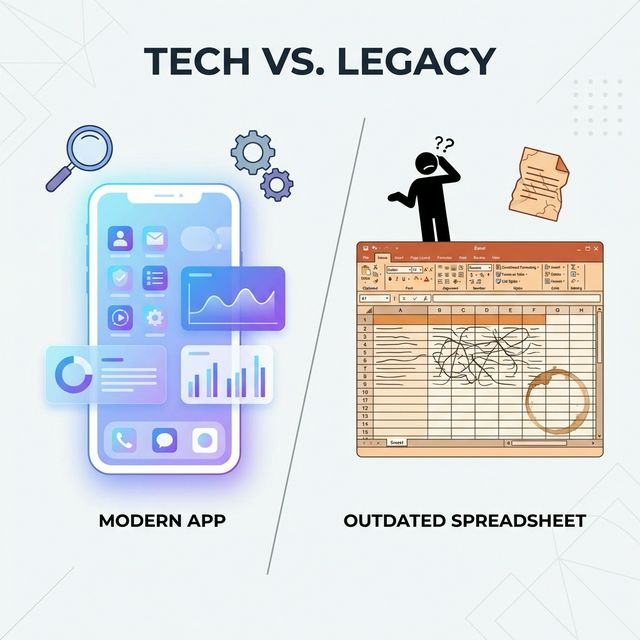
If you're tracking your freelance hours in a spreadsheet right now, you're in good company. Google Sheets or Excel is where most freelancers start — it's free, it's familiar, and for the first few weeks it works fine. You create a few columns (date, client, task, hours, rate), enter your time at the end of each day, and run a SUM formula to generate your weekly totals.
Then, somewhere around month three or four, cracks start appearing. A missed entry here. A formula error there. An afternoon spent reconciling your spreadsheet against your invoices because the numbers don't match. And the slow, creeping suspicion that you're spending more time managing your tracking system than it's saving you.
This article isn't here to tell you spreadsheets are terrible. They're not — they're flexible, powerful, and free. But they have specific, predictable failure modes for time tracking, and online time tracking tools exist precisely to solve those problems. Here's an honest look at where each approach works, where it doesn't, and when it makes sense to switch.
Where Spreadsheets Work Fine
Let's give credit where it's due. Spreadsheets are genuinely adequate in a few scenarios:
Single client, fixed hours. If you work 20 hours a week for one client and your schedule doesn't vary much, a spreadsheet is overkill-proof. You barely need tracking at all — the invoice is the same every month.
Post-hoc logging only. Some freelancers don't need real-time tracking. Consultants who bill in full-day blocks, for instance, just need a record of which days they worked for which client. A spreadsheet handles this cleanly.
You're a spreadsheet wizard. If you genuinely enjoy building systems in Google Sheets — with conditional formatting, pivot tables, and custom functions — you can build a surprisingly capable tracking system. The question isn't whether it's possible, but whether it's the best use of your time.
Where Spreadsheets Break Down
For the rest of us, spreadsheets fail in predictable ways as freelance work gets more complex. Here are the failure modes, roughly in the order most freelancers encounter them.
No Real-Time Tracking
This is the fundamental limitation. A spreadsheet cannot start and stop a timer. You track time by entering it after the fact — at lunch, at the end of the day, or (for the optimists) at the end of the week.
The problem isn't laziness; it's memory. Research on time perception consistently shows that people overestimate time spent on tasks they found difficult and underestimate time spent on tasks they found easy. A developer who spent 45 minutes debugging might log it as an hour because it felt long. The same developer might log two hours of focused coding as 90 minutes because the flow state compressed their sense of time.
Over a month, these small distortions compound into meaningful billing inaccuracies. Our freelance time tracking guide covers this problem in detail — the fix is always the same: track time as it happens, not from memory.
Manual Entry Errors
Every number in a spreadsheet is hand-typed. Transposed digits, entries in the wrong row, decimal points in the wrong place — these aren't hypothetical risks, they're statistical certainties over any meaningful time period.
Consider this: if you make one small entry error per week (say, logging 1.5 hours instead of 1.25), and your rate is $100/hour, that's a $25 error per week. Over a year, that's $1,300 in billing inaccuracy — some in your favour, some against you, all undermining trust in your records.
No Invoice Integration
This is where the real cost emerges. Tracking time is step one. Turning tracked time into an invoice is step two. In a spreadsheet world, step two looks like this:
- Filter your spreadsheet for Client X, current month.
- Sum the hours per task category.
- Open your invoice template (separate tool).
- Manually type each line item, hours, rate, and total.
- Double-check the maths matches your spreadsheet.
- Save as PDF, attach to email, send.
That process takes 15-30 minutes per client. Multiply by your client count, and invoicing day becomes invoicing half-day. An online tracker with built-in invoicing collapses steps 2-6 into a single "Generate Invoice" click.
Painful Reconciliation
When your time records live in a spreadsheet and your invoices live somewhere else, reconciliation becomes a manual process. Which hours have been billed? Which are still outstanding? Did you invoice for that extra revision round last month?
In a dedicated tracking tool, every time entry has a status: unbilled, billed (linked to a specific invoice), or non-billable. The tool maintains that state automatically. In a spreadsheet, you're adding a "Billed?" column and manually updating it — another place for errors, another thing to forget.
No Mobile Access (Practical)
Yes, Google Sheets has a mobile app. No, it's not a reasonable way to track time on your phone. Navigating to the right row, entering data in tiny cells, and avoiding formula breakage on a touchscreen is technically possible and practically miserable.
Online time tracking tools are built for mobile. One tap to start, one tap to stop. The difference in friction is enormous, and friction is the enemy of consistent tracking.
The Before/After Comparison
Here's what the same freelancer's workflow looks like with spreadsheets versus an online time tracker, across every step of the billing cycle.
| Workflow Step | Spreadsheet | Online Time Tracker |
|---|---|---|
| Starting work | Open spreadsheet, find today's row, note the time | Click "Start" on the project timer |
| Stopping work | Check the clock, calculate duration, type it in | Click "Stop" |
| Switching tasks | Note end time for Task A, start new row for Task B | Stop Timer A, start Timer B |
| Forgot to track | Guess the duration from memory, enter manually | Add manual entry or check idle detection |
| Weekly review | Build a pivot table or manually sum rows | View pre-built dashboard |
| Creating invoice | Copy data into invoice template, verify maths | Click "Generate Invoice from time entries" |
| Checking what's billed | Ctrl+F through spreadsheet, cross-reference invoices | Filter: "Unbilled time entries" |
| Multi-currency client | Manually look up exchange rate, add formula | Auto-converted at current or locked rate |
| End-of-year summary | Build new report from raw data | Export or view annual report |
| Sharing with client | Screenshot or export filtered view | Share project report link |
The pattern is clear: spreadsheets push complexity onto you at every step. Online trackers absorb that complexity into their design.
"But My Spreadsheet is Already Set Up"
This is the most common objection, and it's valid. Switching tools has a real cost — migrating data, learning a new interface, changing habits. Here's how to think about it honestly.
The sunk cost is smaller than you think. Your spreadsheet data isn't lost when you switch. Most online trackers accept CSV imports, so your historical data comes with you. The setup you've built (formulas, formatting) has no value in the new tool, but it also wasn't the point — the data was.
The learning curve is nearly flat. Modern time trackers are dramatically simpler than spreadsheets. If you can use a stopwatch, you can use a time tracker. Most people are comfortable within a day.
The habit change is the real cost. Moving from "enter time at end of day" to "start and stop timers in real time" is a genuine behaviour change. It takes about two weeks to become automatic. The payoff — more accurate records, less end-of-day mental reconstruction — is worth the adjustment period.
When to Make the Switch
There's no universal trigger, but here are the signals that it's time:
You have more than two active clients. Managing multiple clients in a single spreadsheet (or worse, multiple spreadsheets) is where the system starts collapsing under its own weight.
You've made a billing error. The first time you overbill or underbill a client due to a spreadsheet mistake, the cost of "free" suddenly becomes concrete.
Invoicing takes more than 15 minutes. If you're spending time on manual data transfer between your spreadsheet and your invoicing tool, that time is a direct tax on your business. A tool that connects tracking to invoicing eliminates it entirely. See our comparison of approaches to invoicing and billing software for more on this.
You're working across timezones. If you collaborate with clients in different timezones — common for digital nomads and remote workers — keeping accurate timestamps in a spreadsheet becomes actively confusing. Dedicated tools handle timezone conversion automatically.
You want to understand your profitability. Spreadsheets can technically calculate your effective hourly rate, project margins, and billable utilization — but building those reports from raw time entries requires significant spreadsheet skill. Online trackers give you project profitability data out of the box.
How to Switch Without Losing Anything
If you've decided to move from spreadsheets to an online tracker, here's a clean migration process.
Step 1: Export your spreadsheet data as CSV. Make sure columns are clean: date, client/project, task, hours, rate, billable (yes/no). Remove merged cells, formatting, and formula columns — just flat data.
Step 2: Choose your tool and import. Most trackers have CSV import. Match your spreadsheet columns to the tool's fields. Verify a few entries manually after import to confirm accuracy.
Step 3: Run both systems in parallel for one week. Track time in the new tool, but also log it in your spreadsheet as a safety net. At the end of the week, compare totals. If they match (they will), you're good to abandon the spreadsheet.
Step 4: Archive your spreadsheet. Don't delete it. Keep it as a historical record. But stop entering data into it. A clean break is important — if you leave the door open, you'll drift back during busy weeks.
Step 5: Set up your first invoice in the new tool. This is the real test. Generate an invoice from your tracked time, review it, and send it. The moment you see line items auto-populated from your timers, you'll understand what you've been missing.
The Spreadsheet's Place in Your Toolkit
Spreadsheets aren't going away, and they shouldn't. They're excellent for financial modelling, ad-hoc analysis, and one-off calculations. If you want to model your annual revenue targets, compare pricing strategies, or build a client profitability matrix, a spreadsheet is the right tool.
But for the daily, repetitive, time-sensitive task of recording when you work and converting those records into invoices — that's a job for a purpose-built tool. Spreadsheets are general-purpose. Time tracking is a specific problem with specific requirements: real-time capture, project structure, and invoicing integration.
If you're ready to stop wrestling with formulas and start tracking time the way it should work — one click to start, one click to stop, one click to invoice — Time Nomad is designed for freelancers making exactly this switch. Your spreadsheet served you well. Now let it retire.
Jamie McDonnell
Writing about freelancing, productivity, and the tools that help independent professionals do their best work.
Related Posts
Best Time Tracker App for Productivity: What Actually Moves the Needle
Time tracker apps don't just log hours — the right one changes how you work. A productivity-focused look at the best time tracking apps, with picks for different use cases.
The Complete Guide to Time Tracking for Freelancers
Why accurate time tracking is the foundation of a profitable freelance business, and how to build the habit without it feeling like a category: guides
Time Tracking and Invoicing for Freelancers: Why One App Beats Two
Using separate tools for time tracking and invoicing creates billing errors, wasted admin time, and reconciliation headaches. Here's the case for combining both in a single app — and what to look for.
Stay in the loop
Get freelancing tips, product updates, and productivity insights delivered to your inbox.
No spam. Unsubscribe anytime.