Clockify is one of the most popular time tracking tools on the market, and for good reason — its free tier is genuinely generous, and it handles team-based time tracking well. Time Nomad takes a different approach, focusing on solo freelancers who need time tracking and invoicing in a single tool, with features built for people who work across borders and timezones.
This isn't a marketing piece disguised as a comparison. Both tools are good at what they do. The question is which one fits the way you work. We'll break this down feature by feature, be honest about where each tool has an advantage, and help you figure out which matters more for your specific situation.
The Fundamental Difference
Before we get into features, the core philosophies are worth understanding, because they explain most of the differences.
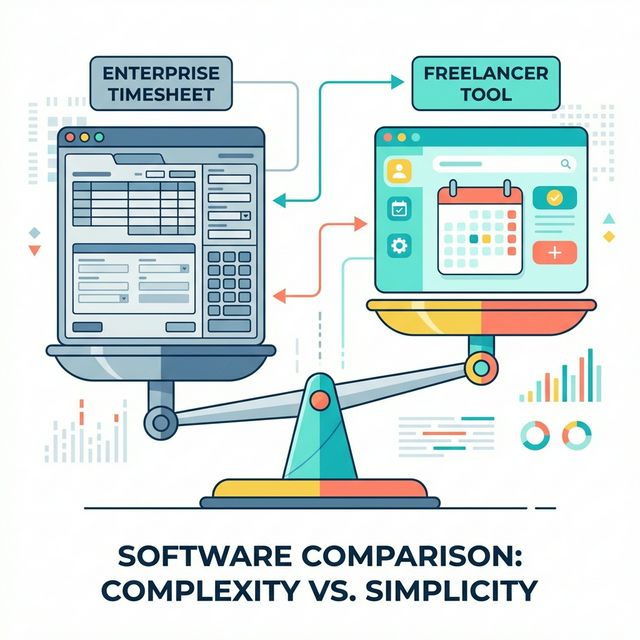
Clockify was built as a team time tracking tool that also works for individuals. Its architecture assumes multiple users, shared workspaces, and manager oversight. Solo freelancers benefit from this (you get a robust tracking engine), but you'll also encounter features and UI elements designed for teams that aren't relevant to your workflow.
Time Nomad was built for solo freelancers and digital nomads from the ground up. It assumes one person tracking time across multiple clients and projects, working across timezones and currencies, and needing to turn that tracked time into invoices. There's no team management because the tool isn't designed for teams.
Neither philosophy is better. They serve different users. The question is which user you are.
Feature-by-Feature Comparison
Time Tracking Core
Both tools handle the basics well: start/stop timers, manual time entry, project and task hierarchy, and tagging.
| Feature | Clockify | Time Nomad |
|---|---|---|
| One-click timer | Yes | Yes |
| Manual time entry | Yes | Yes |
| Project/task hierarchy | Projects > Tasks | Projects > Tasks > Subtasks |
| Tags | Yes | Yes |
| Billable/non-billable | Yes (free tier) | Yes |
| Idle detection | Yes (desktop app) | Browser-based detection |
| Pomodoro timer | Yes | No |
| Time rounding | Yes (paid) | Yes |
| Keyboard shortcuts | Yes | Yes |
Where Clockify wins: Idle detection on the desktop app is mature and reliable. The Pomodoro timer is a nice touch for focus-interval workers. Clockify also supports time entry via a browser extension that detects context from tools like Asana and Trello.
Where Time Nomad wins: The three-level hierarchy (projects > tasks > subtasks) gives finer-grained organisation without creating separate projects for every sub-deliverable. Being browser-based means you get the same experience on any device without installing desktop or mobile apps.
Verdict: Roughly even. Both handle core time tracking competently. Your preference will come down to whether you value desktop app integrations (Clockify) or browser-based simplicity (Time Nomad).
Reporting and Analytics
| Feature | Clockify | Time Nomad |
|---|---|---|
| Summary reports | Yes | Yes |
| Detailed time logs | Yes | Yes |
| Project profitability | Paid tier | Yes |
| Billable utilisation | Paid tier | Yes |
| Client-level reporting | Yes | Yes |
| Export (CSV, PDF) | Yes | Yes |
| Custom date ranges | Yes | Yes |
| Effective hourly rate | Paid tier | Yes |
| Visual dashboards | Yes (basic free, detailed paid) | Yes |
Where Clockify wins: The visual reporting in Clockify's paid tier is polished and detailed, with charts that are presentation-ready if you need to share reports with stakeholders. The free tier reports are functional but less visual.
Where Time Nomad wins: Project profitability and effective hourly rate calculations are available without upgrading. For freelancers who need to understand which projects are actually profitable, not having to pay extra for this data is significant. Billable utilisation tracking — knowing what percentage of your working hours are actually billable — is essential for understanding your real earning capacity.
Verdict: Time Nomad edges ahead for solo freelancers because profitability metrics are included in the base tier. Clockify's reporting is more polished visually but locks key freelancer metrics behind paid plans.
Invoicing
This is where the comparison gets interesting, because the two tools take fundamentally different approaches.
| Feature | Clockify | Time Nomad |
|---|---|---|
| Built-in invoicing | No (requires third-party integration) | Yes |
| Time-to-invoice flow | Via integration (e.g., QuickBooks, FreshBooks) | Native — select entries, generate invoice |
| Invoice templates | N/A | Customisable |
| Multi-currency invoices | N/A | Yes |
| Payment tracking | N/A | Yes |
| Recurring invoices | N/A | Yes |
| Payment gateway | N/A | Stripe integration |
Where Clockify wins: Clockify doesn't try to be an invoicing tool. If you already have invoicing software you're happy with (FreshBooks, Xero, QuickBooks), Clockify's integrations let you push time data to those platforms. This "best of breed" approach has merit — you're not locked into one tool's invoicing implementation.
Where Time Nomad wins: For freelancers who don't already have separate invoicing software, the integrated approach eliminates an entire category of tool and the manual data transfer that comes with it. Selecting time entries and clicking "Generate Invoice" is faster and less error-prone than exporting time data, importing it into another tool, and verifying the transfer. We've covered the case for handling tracking and invoicing in one app in depth elsewhere.
Verdict: Time Nomad wins clearly for freelancers who need invoicing. Clockify wins if you already have a dedicated invoicing/accounting platform and just need clean time data to feed into it. If you're currently evaluating invoice creating software alongside your time tracker, choosing an integrated tool saves you from making two separate decisions.
Multi-Currency and International Features
| Feature | Clockify | Time Nomad |
|---|---|---|
| Multiple billing currencies | Paid tier | Yes |
| Per-client currency | Paid tier | Yes |
| Timezone-aware tracking | Basic | Yes — automatic, location-aware |
| Exchange rate handling | Not applicable (no invoicing) | Automatic with manual override |
Where Clockify wins: If you don't work internationally, this section is irrelevant and Clockify's lack of these features costs you nothing.
Where Time Nomad wins: For anyone working across borders — and that includes most digital nomads and remote freelancers — timezone and multi-currency support aren't add-ons, they're daily necessities. Time Nomad treats these as first-class features rather than premium upgrades.
Verdict: Time Nomad wins decisively for international freelancers. If you bill in multiple currencies or work across timezones, this category alone may drive your decision.
Integrations and Ecosystem
| Feature | Clockify | Time Nomad |
|---|---|---|
| Native integrations | 80+ (Asana, Trello, Jira, Slack, etc.) | Growing — focused on core workflow |
| Browser extension | Yes (with context detection) | Browser-based natively |
| API | Yes (free tier) | Yes |
| Zapier/Make | Yes | Planned |
| IDE integration | Via third-party | VS Code extension |
| Calendar integration | Google Calendar | Google Calendar |
Where Clockify wins: This is Clockify's strongest category. Years of development have produced a broad integration ecosystem. If your workflow depends on Jira, Asana, or another project management tool, Clockify's native integration means you can start timers without leaving those tools.
Where Time Nomad wins: The VS Code extension is purpose-built for developers who spend most of their working day in an IDE. And being browser-native means the time tracker is always one tab away, regardless of what other tools you're using.
Verdict: Clockify wins on breadth of integrations. If tight coupling with specific project management tools is important to you, Clockify has more options. Time Nomad's integration story is more focused but covers the essentials.
Pricing
| Tier | Clockify | Time Nomad |
|---|---|---|
| Free | Unlimited users, core tracking, basic reports | Solo use, core tracking, reporting, invoicing, multi-currency |
| Paid entry | ~$4-5/user/month (Standard) | Free tier covers most solo needs |
| Mid tier | ~$6-7/user/month (Pro) | Pro tier for advanced features |
| Enterprise | ~$12/user/month | N/A (not targeting enterprise) |
Where Clockify wins: The free tier supports unlimited users, making it unbeatable for teams. If you're hiring subcontractors or have a small team, Clockify's free tier goes further.
Where Time Nomad wins: Features that Clockify reserves for paid tiers — billable rates, project profitability, rounding, multi-currency — are available in Time Nomad's free tier. For a solo freelancer, the effective cost difference can be significant.
Verdict: For teams, Clockify's free tier is more generous. For solo freelancers, Time Nomad includes more relevant features at no cost.
Who Should Choose Clockify
Clockify is the better choice if:
- You work on a team. Clockify's free tier supporting unlimited users is genuinely remarkable. If you're a small agency or a freelancer working alongside subcontractors, this is a significant advantage.
- You already have invoicing software. If FreshBooks, Xero, or QuickBooks handles your billing and you just need clean time data, Clockify integrates well with these platforms.
- You rely on project management integrations. If your workflow centers on Asana, Jira, or Trello and you want to start timers directly from those tools, Clockify's native integrations are more mature.
- You want a desktop app with idle detection. Clockify's desktop application is solid, with reliable idle detection that prompts you to account for inactive time.
- You don't need multi-currency. If all your clients pay in one currency, you're not paying for a feature you won't use.
Who Should Choose Time Nomad
Time Nomad is the better choice if:
- You're a solo freelancer. The entire tool is designed for your workflow, without team-oriented features cluttering the experience.
- You bill by the hour and need invoicing. The time-to-invoice flow — tracking hours and converting them directly into professional invoices — is the core value proposition. No separate invoicing tool needed.
- You work with international clients. Multi-currency support, timezone awareness, and the ability to invoice in your client's currency while tracking revenue in yours are built in, not bolted on.
- You're a digital nomad or remote worker. Being browser-based means it works from any location on any device. Timezone handling means your tracked hours are always accurate regardless of where you are.
- You want profitability insights without paying for them. Project profitability, effective hourly rate, and billable utilisation are available in the base tier.
The Honest Summary
Clockify is a mature, well-built team time tracker with a generous free tier and strong integrations. It's excellent at what it does, and if your primary need is time tracking for a group of people, it's hard to beat.
Time Nomad is a purpose-built tool for solo freelancers who need the full workflow — from starting a timer to sending an invoice — in one place. It trades breadth of features for depth in the specific areas that matter to independent workers: invoicing, multi-currency, timezone handling, and profitability analysis.
The worst choice is the one that doesn't fit your actual workflow. A team tracker used by one person has wasted complexity. A solo tool stretched to cover a team has missing features. Match the tool to the job.
If you're a solo freelancer who bills by the hour and wants tracking and invoicing in one place, try Time Nomad free at time-nomad.app and see if the workflow clicks. If you're building a team and need collaborative tracking, Clockify is a solid choice. Either way, the important thing is tracking consistently — the tool is just the means.
Jamie McDonnell
Writing about freelancing, productivity, and the tools that help independent professionals do their best work.
Related Posts
Best Free Time Trackers for Freelancers: What You Actually Get
An honest comparison of free time tracking options for freelancers — what each tool offers, what it holds back, and when paying for a tracker pays for itself.
How to Choose a Time Tracking App for Freelancers
A buyer's guide to picking a time tracking app that fits the way freelancers actually work — not the way teams do. Key criteria, common traps, and what to prioritise.
Time Tracking and Invoicing for Freelancers: Why One App Beats Two
Using separate tools for time tracking and invoicing creates billing errors, wasted admin time, and reconciliation headaches. Here's the case for combining both in a single app — and what to look for.
Stay in the loop
Get freelancing tips, product updates, and productivity insights delivered to your inbox.
No spam. Unsubscribe anytime.