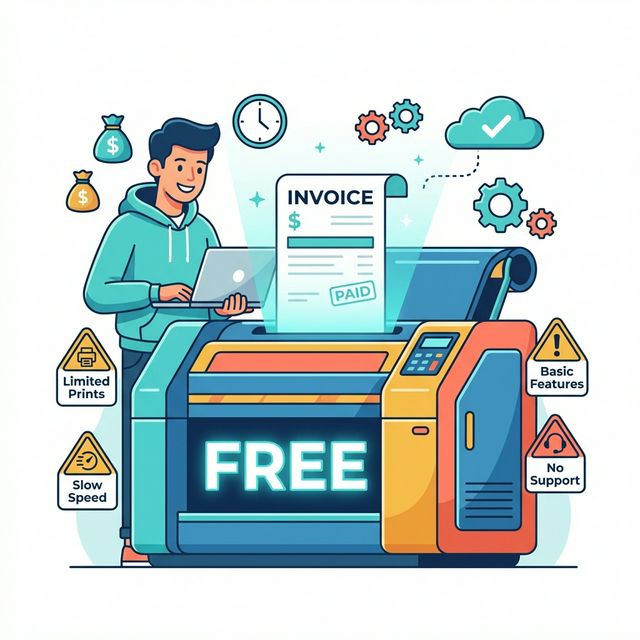
If you search "free invoice generator" right now, you'll find dozens of tools that let you fill in a form, click a button, and download a professional-looking PDF invoice. They're free, they're fast, and for many freelancers starting out, they're perfectly fine.
But there's a ceiling. Free invoice generators solve one narrow problem — creating an invoice document — while leaving everything around that problem untouched. This article breaks down exactly where that ceiling sits, so you can use free tools confidently when they make sense and recognize when you've outgrown them.
What Free Invoice Generators Actually Do
A free invoice generator is typically a web-based form that produces a PDF. You enter your business details, your client's details, line items with descriptions and amounts, and payment terms. The tool formats it into a clean template and gives you a downloadable file.
The good ones let you:
- Choose from several professional templates
- Add your logo
- Include tax calculations
- Set payment terms and due dates
- Download as PDF or sometimes email directly
That's genuinely useful. If you've been sending invoices as plain-text emails or cobbling together something in Google Docs, a proper invoice generator is a significant upgrade. Your invoices look professional, include all the necessary fields, and take about five minutes to create.
Where Free Generators Excel
The First Invoice
Every freelancer remembers their first invoice. It's exciting and slightly terrifying. A free generator gets you from "I have no idea how to invoice" to "I just sent a professional invoice" in under ten minutes. No signup required for many tools, no learning curve, no commitment.
One-Off Projects
If you did a single freelance project for a friend's business and need to send one invoice, setting up invoicing software makes no sense. A free generator handles this perfectly. Fill in the details, send the PDF, get paid, done.
Simple, Infrequent Invoicing
Some freelancers invoice once or twice a month for straightforward fixed-price work. If you're billing the same client $2,000/month for a retainer, generating a one-line invoice takes two minutes in any free tool. The overhead of a full invoicing system isn't justified.
Learning the Basics
Free generators teach you what an invoice should contain. Before worrying about automation and integrations, every freelancer should understand the components of a proper invoice: unique invoice number, your details, client details, line items, payment terms, due date, and total. We cover all of these in our step-by-step invoicing guide.
Where Free Generators Fall Short
Here's where the limitations become real costs — not in subscription fees, but in time and missed revenue.
No Record-Keeping
Most free generators don't save your invoices. You create a PDF, download it, and the tool forgets you exist. If you need to reference an old invoice, resend one to a client, or check what you billed last quarter, you're digging through your downloads folder.
Some generators offer accounts that save your history, but at that point you're usually looking at a freemium model where the useful features — like saved client lists and invoice history — are behind a paywall.
No Payment Tracking
A free generator doesn't know if an invoice has been paid. There's no status column, no aging report, no overdue alerts. You're tracking payments mentally, in a spreadsheet, or not at all.
This matters more than it sounds. When you have three clients, you can remember who's paid. When you have eight, you can't. Missed follow-ups on overdue invoices are one of the most common ways freelancers lose money.
No Time Tracking Connection
This is the big one. If you bill based on hours worked — and most freelancers do, at least partially — a free invoice generator requires you to:
- Track your time somewhere else (spreadsheet, app, notebook).
- Manually calculate totals for each client and project.
- Manually enter each line item into the invoice generator.
- Double-check that the numbers match.
Every step in this chain is a place where errors creep in and time gets wasted. The alternative — tracking your time in the same tool that generates your invoices — eliminates steps 2, 3, and 4 entirely.
No Recurring Invoices
If you bill the same client the same amount every month, you're creating the same invoice from scratch every time in a free generator. That's tolerable for one client. With five retainer clients, it's 30 minutes of repetitive data entry each month.
No Multi-Currency
Most free generators let you pick a currency symbol, but that's cosmetic. Real multi-currency support means tracking what you invoiced in the client's currency and what you received in yours. For freelancers with international clients — and especially for digital nomads working across borders — this is essential for accurate bookkeeping.
No Payment Links
Modern invoicing apps embed payment buttons or links directly in the invoice. The client clicks "Pay Now," enters their card details or connects their bank, and you get paid. Free PDF generators produce a static document. Your client reads your bank details, opens their banking app, and types in the transfer manually. Each step of friction adds days to your payment timeline.
The Signals It's Time to Upgrade
There's no universal rule, but here are the patterns that suggest you've outgrown free generators:
Signal 1: You Have Three or More Active Clients
At three clients, you're creating at least three invoices per month, tracking three sets of hours, and following up on three payment statuses. The overhead of doing all this manually starts to compound. Client details need to be re-entered (or copy-pasted) every time. Invoice numbering has to be managed manually.
Signal 2: You're Billing Based on Tracked Hours
If your invoices include hourly line items — "15 hours of development at $100/hr" — you need those hours to come from somewhere reliable. An integrated tool that generates invoices directly from tracked time entries eliminates the most error-prone part of freelance billing. Our guide to billable hours tracking explains why this connection matters for your income.
Signal 3: You've Sent a Wrong Invoice
Maybe you forgot a line item. Maybe you invoiced for 12 hours when it should have been 14. Maybe you used last month's template and forgot to update the date. Errors in invoices damage client trust and sometimes cost real money. If it's happened more than once, the manual process is the problem.
Signal 4: You're Spending More Than 15 Minutes Per Invoice
A well-structured invoicing tool with saved clients, templates, and auto-populated line items should let you generate an invoice in under five minutes. If you're spending longer than that in a free generator — re-entering client details, manually calculating hours, formatting line items — the time cost alone justifies a paid tool.
Signal 5: You Invoice in Multiple Currencies
The moment you have a client paying in USD and another in EUR, you need proper currency handling. A currency symbol dropdown isn't enough. You need invoicing that tracks amounts in the invoiced currency and helps you reconcile in your home currency.
The Middle Ground: Freemium Invoicing Tools
Between free generators and full-featured invoicing software, there's a category of freemium tools that offer basic invoicing for free with paid upgrades. These can work well as a stepping stone.
The catch is understanding what's limited. Common restrictions on free tiers:
- Limited number of invoices per month (often 5–10)
- Limited number of clients
- The tool's branding on your invoices
- No recurring invoices
- No payment integrations
- Basic or no reporting
If the free tier covers your needs today, use it. Just be aware of where the walls are so you're not surprised when you hit them. We reviewed several options in our invoicing and billing software guide.
What to Look for When You Upgrade
When the free generator isn't cutting it anymore, here's the shortlist of features that matter most for small businesses and freelancers:
Saved client profiles: Enter client details once, reuse forever.
Invoice templates: Consistent, professional formatting without manual effort each time.
Automatic invoice numbering: Sequential, customizable, and never duplicated.
Time-to-invoice flow: If you track hours, the ability to select a time period and auto-generate line items from your tracked entries. This is the single biggest time saver. For a detailed look at what makes this work well, see our invoice-creating software features guide.
Payment status tracking: See at a glance which invoices are paid, pending, or overdue.
Multi-currency: Invoice in your client's currency with proper tracking.
Payment links: Let clients pay directly from the invoice.
Making the Transition
Moving from a free generator to an invoicing tool doesn't require migrating old data. Your past invoices are already sent and (hopefully) paid — they can stay as PDFs in your files.
Start by setting up your clients and projects in the new tool, creating your invoice template, and using it for your next billing cycle. Run both systems in parallel for one month if you want a safety net. Most freelancers find the new tool is faster by the second invoice.
The right moment to switch isn't when the pain becomes unbearable. It's when you notice the friction — the re-entry, the manual tracking, the uncertainty about which invoices are paid. That's the signal that a small investment in better tooling will pay for itself almost immediately.
Free invoice generators are a perfectly good starting point. There's no shame in using one, and no pressure to upgrade before you need to. But when you're ready for invoicing that connects to your tracked hours, saves your client data, and handles multiple currencies without a spreadsheet on the side, Time Nomad brings time tracking and invoicing together in one place — so the upgrade feels less like a learning curve and more like dropping dead weight.
Jamie McDonnell
Writing about freelancing, productivity, and the tools that help independent professionals do their best work.
Related Posts
Time Nomad vs Zoho Invoice: Which Is Better for Freelancers?
A fair comparison of Time Nomad and Zoho Invoice for freelancers. We cover features, pricing, ease of use, and which tool fits which workflow so you can pick the right one.
Best Free Time Trackers for Freelancers: What You Actually Get
An honest comparison of free time tracking options for freelancers — what each tool offers, what it holds back, and when paying for a tracker pays for itself.
Time Tracking and Invoicing for Freelancers: Why One App Beats Two
Using separate tools for time tracking and invoicing creates billing errors, wasted admin time, and reconciliation headaches. Here's the case for combining both in a single app — and what to look for.
Stay in the loop
Get freelancing tips, product updates, and productivity insights delivered to your inbox.
No spam. Unsubscribe anytime.