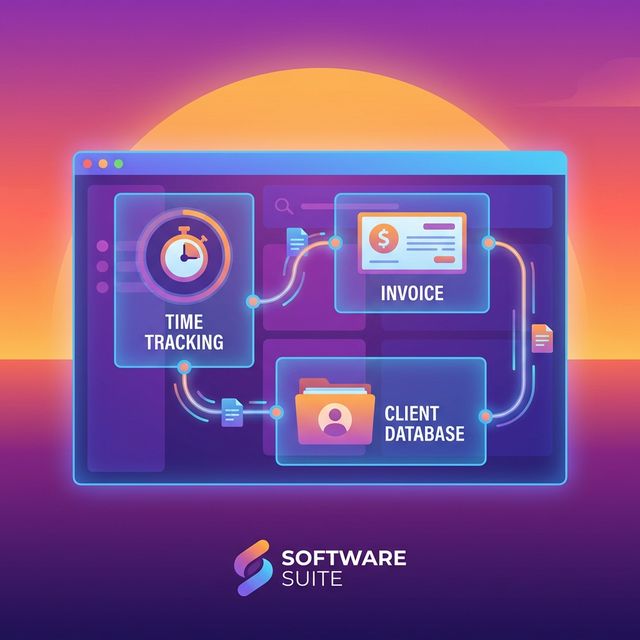
Most freelance tools ask you to choose. Track your time here. Invoice over there. Manage projects in a third place. Each tool works fine on its own, but the seams between them — the manual data transfer, the re-entry, the context switching — eat hours every month and introduce errors that cost real money.
Time Nomad is a freelance time tracking app that was built from the start to eliminate those seams. Time tracking flows into invoicing. Projects organize both. Reporting ties it all together. This article walks through each major feature, explains the problem it solves, and shows how it fits into a freelancer's actual daily workflow.
One-Click Time Tracking
The Problem
Freelancers don't stop working to start tracking. They open the project, get into flow, and — if they remember — toggle a timer at some point. The more friction a timer creates, the less likely it gets used. And a time tracker that doesn't get used is worthless.
How Time Nomad Handles It
Time Nomad puts a single-click timer at the center of the interface. Select your project, click start. That's it. The timer runs in your browser tab so you can see it without switching windows. When you switch tasks, click the new project and the current timer stops while the new one starts.
For developers who prefer to stay in their editor, Time Nomad also offers a VS Code extension that puts the timer in your IDE status bar. Start, stop, and switch projects without leaving your code.
If you forget to start a timer — it happens to everyone — you can add manual time entries after the fact. Specify the start time, end time, project, and description. The entry appears in your timesheet alongside your timer-based entries, with no distinction between the two.
Why It Matters
Accurate time tracking is the foundation of accurate invoicing. It's also the foundation of understanding your business — where your hours go, which clients are profitable, and whether your rates reflect the time you actually spend. Our comprehensive freelance time tracking guide covers why this data changes how you price your work.
Project and Client Organization
The Problem
Freelancers don't work on "tasks." They work for clients, on projects, toward milestones. A flat task list with no hierarchy forces you to invent naming conventions ("ACME - Website - Homepage" vs. "ACME Website Homepage") and hope you remember them consistently.
How Time Nomad Handles It
Time Nomad organizes work in a natural hierarchy:
Clients are the top level. Each client has their own profile with contact details, billing preferences, currency, and default rate.
Projects sit under clients. A single client might have multiple active projects — a website redesign, monthly SEO work, and a one-off brand audit. Each project has its own budget, hourly rate (which can override the client default), and status.
Milestones break projects into phases. A website redesign might have milestones for discovery, design, development, and launch. Milestones give you checkpoints for progress tracking and can be tied to partial billing.
Time entries are tagged to a specific project (and optionally a milestone). When you start a timer, you're always working within a client-project context, which means your data is organized from the moment it's created.
For a deeper look at how milestones improve project tracking, see our project milestones guide.
Why It Matters
Organization at the data level means every report, invoice, and dashboard view is automatically structured by client and project. You never need to manually sort, filter, or tag entries after the fact.
Automatic Invoice Generation
The Problem
Invoicing is the most dreaded task in freelancing — not because it's hard, but because it's tedious. You finish a month of work, then spend an hour per client reconstructing what you did and typing line items into a separate tool. Invoices go out late. Payments follow even later.
How Time Nomad Handles It
Time Nomad generates invoices directly from your tracked time:
- Open the Invoicing section and select a client.
- Choose the billing period (last month, custom range, etc.).
- Time Nomad pulls all tracked entries for that client and period, groups them by project, and creates line items with descriptions, hours, and rates.
- Review the draft. Combine entries, adjust descriptions, add fixed-fee items, or apply discounts.
- Finalize and send — as a PDF, via email, or through a client-facing link.
The invoice uses your saved template with your branding, client details pre-populated, sequential numbering handled automatically, and payment information included. Creating an invoice takes 3-5 minutes instead of 30-60. For the full walkthrough, our how to invoice as a freelancer guide covers everything from line items to payment terms.
Why It Matters
Invoices generated from tracked data don't have transcription errors or forgotten entries. They go out on time because the process isn't painful. And they include specific line items that clients trust. For more on what makes invoicing software effective, see our invoice-creating software features guide.
Multi-Currency Support
The Problem
A freelance designer in Lisbon invoicing a client in New York needs to send a USD invoice. A developer in Berlin working with a UK startup invoices in GBP. A digital nomad in Bali might have clients paying in three different currencies while their own expenses are in Indonesian rupiah.
Most tools treat multi-currency as a nice-to-have. They let you pick a currency symbol and call it done. But real multi-currency support means tracking your receivables in the invoiced currency, understanding your income in your home currency, and not losing money to confusion about which number is which.
How Time Nomad Handles It
Each client in Time Nomad has a default currency. When you create an invoice for that client, it's automatically in their currency. Your reporting dashboard shows income in your base currency with clear conversion tracking.
Setting up a new client with a different currency takes one click — select the currency from the dropdown when creating the client profile. Every invoice, payment record, and report for that client uses the correct currency from that point forward.
Why It Matters
For freelancers working internationally — and especially for digital nomads — currency handling isn't an edge case. It's a daily reality. Getting it wrong means confusing clients, inaccurate bookkeeping, and tax headaches.
Timezone Awareness
The Problem
If you're in London tracking time for a client in San Francisco, the date on your time entry might differ from what your client expects. A session starting at 11 PM your time is still the same workday for your client at 3 PM theirs. This creates confusion in reporting and invoicing.
How Time Nomad Handles It
Time Nomad stores all time data with full timezone information. Your entries display in your local time, but reports and invoices can reference the client's timezone when needed. If you travel between timezones mid-project, your tracked time adjusts correctly without manual intervention. Timezone handling is invisible when it works — Time Nomad keeps it that way.
Reporting and Profitability Insights
The Problem
Most freelancers know their revenue. Few know their profitability per client, per project, or per type of work. Without this data, you can't make informed decisions about which clients to pursue, which services to emphasize, and which to drop.
How Time Nomad Handles It
Time Nomad's reporting surfaces the numbers that drive business decisions:
Weekly and monthly summaries show total hours by client and project, split by billable and non-billable. At a glance, you see where your time went and how much of it was revenue-generating.
Project profitability compares tracked hours against budgets and rates. A project that's consistently running over budget shows up clearly — before it becomes a loss. For a deeper look at this, see our project time tracking and profitability guide.
Billable ratio tracking shows the percentage of your working time that's directly billable. This number is one of the most important metrics for any freelancer — it directly determines your effective hourly rate. If you bill at $100/hr but only 60% of your time is billable, your effective rate is $60/hr. Our guide on maximizing income through billable hours tracking explains how to use this data.
Client comparisons let you see which clients are most profitable relative to the time invested. A high-revenue client that demands constant revisions might be less profitable than a lower-revenue client who's efficient and low-maintenance. Revenue tells you what came in. Profitability tells you what's worth doing.
Browser-Based, No Installation Required
The Problem
Native apps need to be installed, updated, and synced. They're tied to a specific device. If your laptop breaks or you switch computers while traveling, your data is wherever your old device is.
How Time Nomad Handles It
Time Nomad runs entirely in the browser. Open a tab, log in, and your full history is there — clients, projects, time entries, invoices. Works on any device with a browser: your laptop, a borrowed computer at a coworking space, your tablet. No sync issues, no data locked on a single device. For freelancers and digital nomads who work from everywhere, browser-based means your workspace travels with you.
Billable vs. Non-Billable Categorization
The Problem
Every freelancer has non-billable time: admin, marketing, invoicing itself, learning, and business development. Ignoring it gives you a distorted picture of your workday. You think you're working 30 hours a week when you're actually working 40 — and only 30 of those are billable.
How Time Nomad Handles It
Every time entry in Time Nomad is tagged as billable or non-billable. The default is set at the project level — most client work defaults to billable, while an "Internal Admin" project defaults to non-billable — but you can override on individual entries.
Reports break down your time by this categorization, so your billable ratio is always visible. Over time, this data reveals patterns — which days are heavy on admin, which clients generate disproportionate non-billable communication time. Your billable ratio determines your real earning rate, and tracking it is the only way to improve it. For a broader perspective on total available working hours, we've broken down the math.
Who Time Nomad Is Built For
Time Nomad isn't trying to be everything for everyone. It's built specifically for:
- Freelancers who bill for their time and want invoicing connected to their tracker.
- Solopreneurs who need project organization without enterprise project management overhead.
- Digital nomads who work across timezones and currencies and need a tool that handles both natively.
- Small agencies (2–5 people) who need shared visibility into project hours and budgets.
If you need enterprise resource planning, inventory management, or payroll for 50 employees, Time Nomad isn't your tool. But if you need to track time, manage projects, and invoice clients without juggling three separate apps, it's built for exactly that.
See how Time Nomad compares to specific alternatives in our comparisons with Clockify and Zoho Invoice, or explore the broader best software for freelancers in 2026 roundup.
Try It on Your Next Project
The best way to evaluate a tool is to use it on real work. Sign up at time-nomad.app, set up a client and project, and track your next week of work. By the time you generate your first invoice from tracked time — and see how much faster it is — the value becomes obvious.
Jamie McDonnell
Writing about freelancing, productivity, and the tools that help independent professionals do their best work.
Related Posts
Time Tracking and Invoicing for Freelancers: Why One App Beats Two
Using separate tools for time tracking and invoicing creates billing errors, wasted admin time, and reconciliation headaches. Here's the case for combining both in a single app — and what to look for.
FreshBooks Alternative for Digital Nomads: When You Need Tracking, Not Accounting
FreshBooks is a strong accounting tool, but freelancers who mainly need time tracking and invoicing often pay for features they'll never use. Here's how Time Nomad compares for digital nomads and solo freelancers.
Time Tracking for Digital Nomads: Managing Hours Across Time Zones, Currencies, and Cafes
Digital nomads face unique time tracking challenges — timezone mismatches, multi-currency billing, unreliable wifi, and shifting work environments. Here's how to handle all of it.
Stay in the loop
Get freelancing tips, product updates, and productivity insights delivered to your inbox.
No spam. Unsubscribe anytime.